HDR Settings
Open Main Menu → HDR Settings to configure reference white, tone mapping, and output color processing.
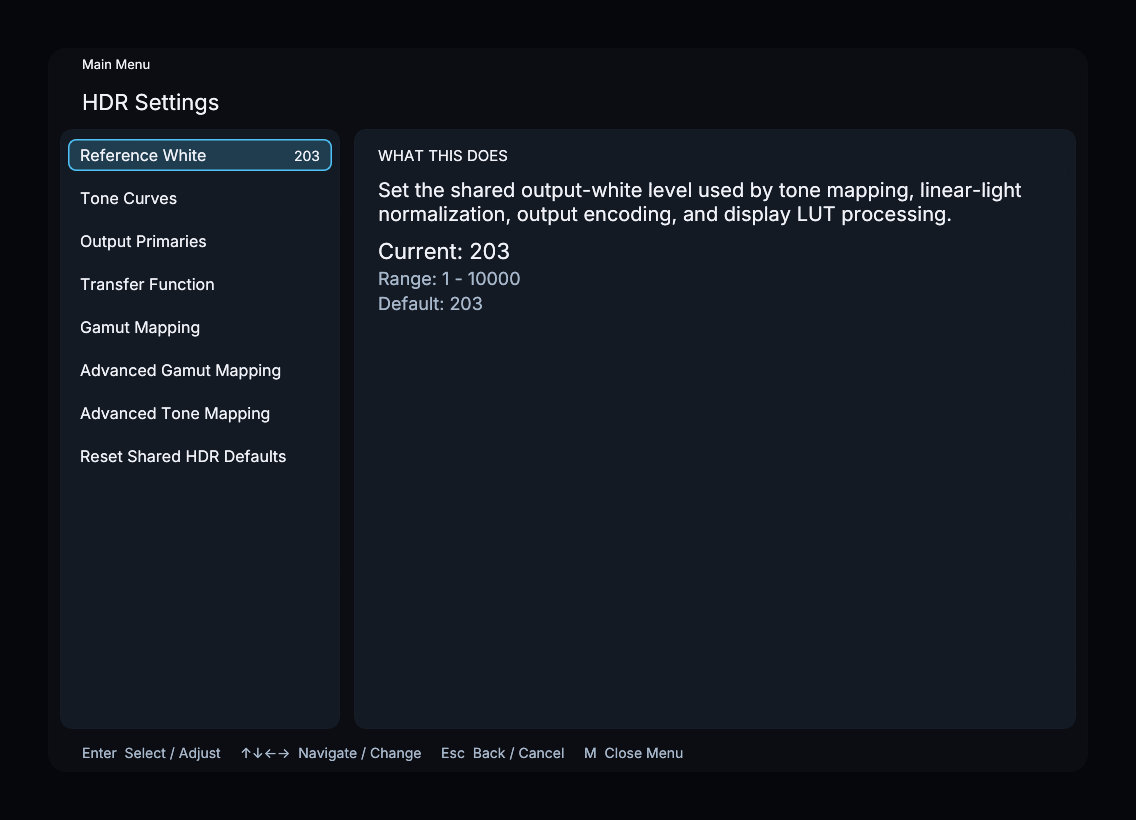
Reference White
Reference White sets the shared output-white level used by tone mapping and output processing. The default is 203 nits, with a range of 1–10,000 nits. Void’s Reference Black is under Advanced Tone Mapping → Void.
Menu sections
| Submenu | Purpose |
|---|---|
| Tone Curves | Select Void, another installed tone-mapping plugin, or a built-in curve |
| Output Primaries | Choose the output gamut or a saved custom color space |
| Transfer Function | Choose the output transfer curve |
| Gamut Mapping | Choose the gamut mapper for the active tone-mapping framework |
| Advanced Gamut Mapping | Tune the Libplacebo gamut mapper |
| Advanced Tone Mapping | Tune the selected tone mapper |
When Display LUT is enabled, it replaces the normal output transform and disables Output Primaries and Transfer Function. X-Ray disables Gamut Mapping and both advanced submenus.
Reset Shared HDR Defaults resets shared HDR, output, and Libplacebo controls. Use Reset Void Tone Mapper inside Void’s advanced menu to reset that plugin.
LLDV Detection belongs to Capture and appears only when the selected source supplies it.