Screen Configuration
Open Main Menu → Screen Configuration. Set the physical screen first, then open the controls you need.
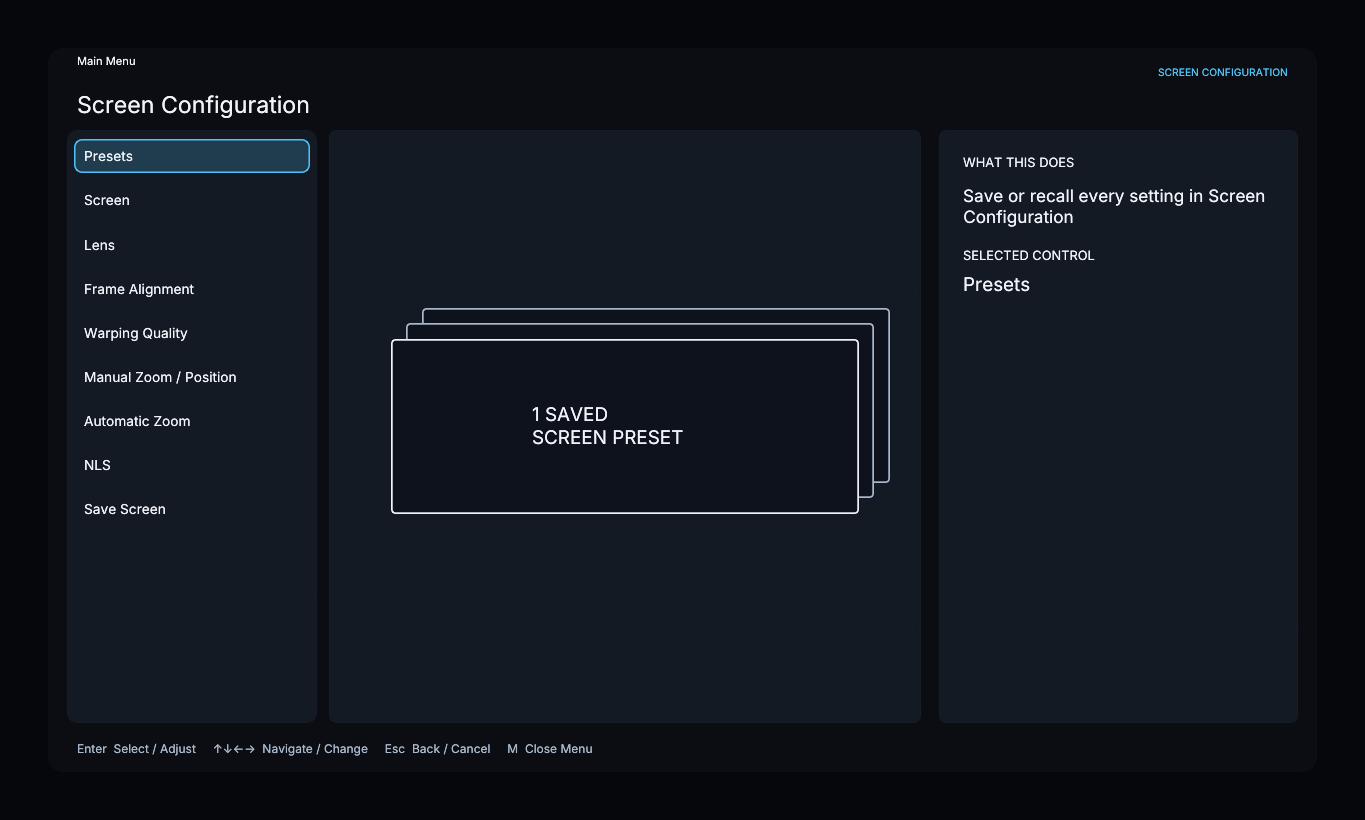
- Screen: set the physical screen’s aspect ratio.
- Lens: configure an installed anamorphic lens or correct optical distortion.
- Frame Alignment: align the image boundary with the screen.
- Manual Zoom / Position: resize or move the live image directly.
- Automatic Zoom: use detected content to remove small bars or fill the screen.
- NLS: stretch horizontally while protecting the center.
- Presets: save or recall a named setup.
Save Screen finishes setup and returns to the main menu. Automatic Zoom and NLS each have their own Enabled switch; opening a page does not enable it.
Navigate the menu
| Control | Action |
|---|---|
| Arrow keys | Move between items or adjust a value |
| E | Select an item, begin adjustment, or finish adjustment |
| B | Return to the previous page |
| M | Close the menu |
Frame Alignment has its own save/discard confirmation. Other controls apply as you adjust them.