Display Mode Whitelist
Mark display modes that are allowed for automatic refresh rate switching.
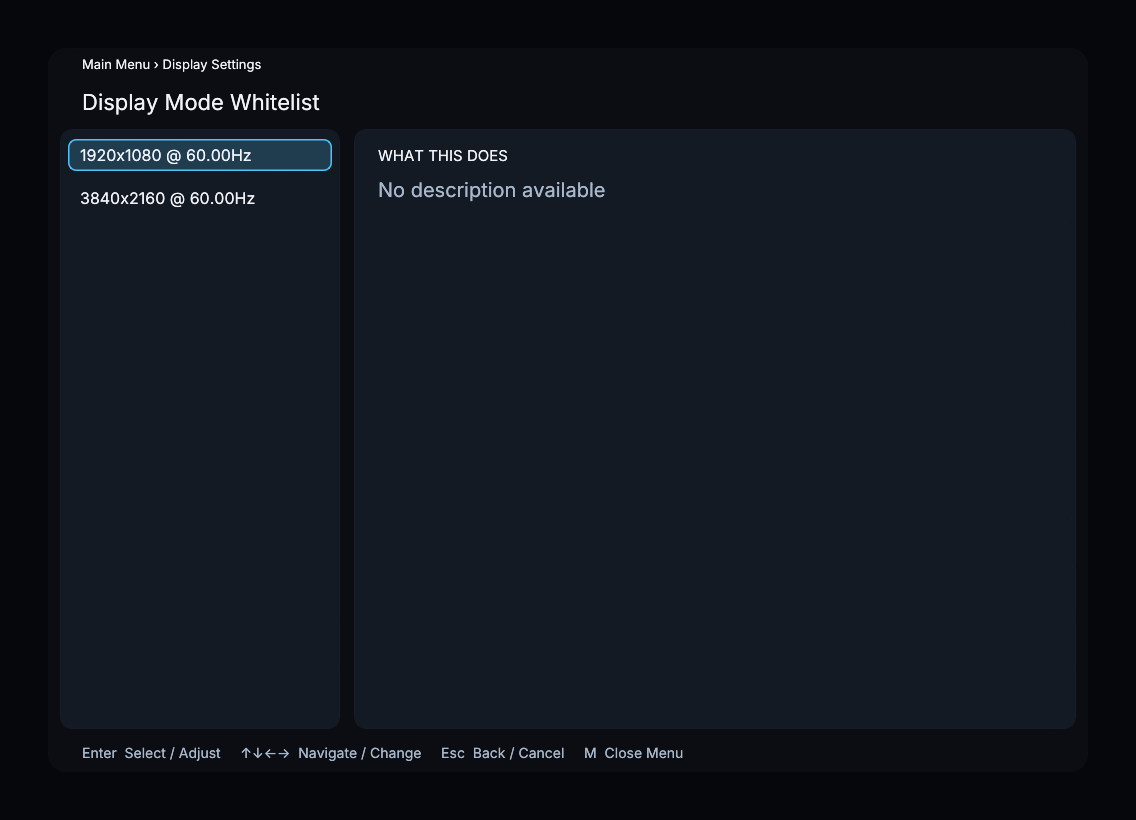
The screenshot shows example display modes; your list comes from the connected display.
How It Works
Lists all available display modes. Whitelisted modes are highlighted in green. Highlight a mode and press E to add or remove it. Only whitelisted modes are considered by Auto Refresh Rate.
The whitelist is retained with the rest of the processor configuration and survives application restarts.
Recommended Settings
Whitelist modes at your display's native resolution for each refresh rate you want the application to use. Common choices:
- Native resolution at 23.976 Hz or 24 Hz (for film content)
- Native resolution at 25 Hz (for PAL content)
- Native resolution at 29.97 Hz or 30 Hz (for NTSC content)
- Native resolution at 59.94 Hz or 60 Hz (default/UI fallback)
Avoid whitelisting modes at a lower resolution than your panel's native resolution unless you specifically need them.
Menu Path
Main Menu > Display Settings > Display Mode Whitelist