Debanding
Remove banding artifacts caused by low-bitdepth sources or heavy video compression.
Banding appears as visible steps between colour gradients — most noticeable in dark scenes, skies, and smooth gradients. The deband filter works by averaging nearby pixels that fall within a similarity threshold, smoothing out the staircase pattern without destroying real detail.
Default: Off
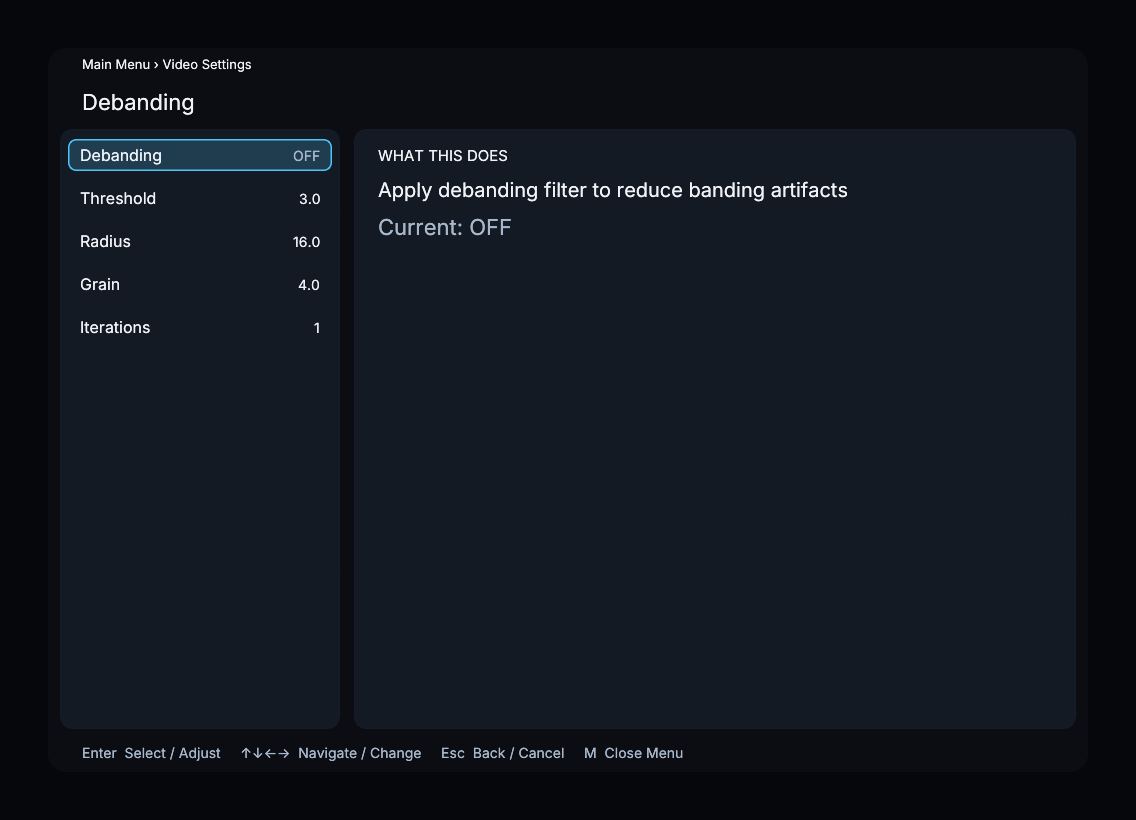
Parameters
Deband Threshold
| Property | Value |
|---|---|
| Default | 3.0 |
| Range | 0.0 – 100.0 |
| Step | 0.5 |
Controls how different two pixels can be and still be considered part of the same banding artefact. Higher values catch more banding but risk smearing fine detail. Start low and increase only if banding is still visible.
Deband Radius
| Property | Value |
|---|---|
| Default | 16.0 |
| Range | 0.0 – 256.0 |
| Step | 1.0 |
The search distance (in pixels) used to find similar samples for averaging. Larger values handle wider bands but increase the chance of blending across real edges. The default of 16 works well for most content.
Deband Grain
| Property | Value |
|---|---|
| Default | 4.0 |
| Range | 0.0 – 100.0 |
| Step | 0.5 |
Amount of random grain injected after debanding. Adding a small amount of grain masks any residual banding that the filter could not fully remove. Set to 0.0 for a completely clean result.
Deband Iterations
| Property | Value |
|---|---|
| Default | 1 |
| Range | 1 – 4 |
| Step | 1 |
Number of debanding passes. Each additional pass refines the result at the cost of GPU time. One pass is sufficient for most sources; increase for heavily compressed or very low-bitdepth material.
Recommended Settings
- High-quality Blu-ray / ProRes — debanding usually unnecessary; leave off.
- Streaming or heavily compressed video — enable with defaults (threshold 3.0, radius 16, grain 4.0, 1 iteration).
- Extreme banding (8-bit gradients) — raise threshold to 4.0–6.0 and iterations to 2.
Menu Path
Main Menu > Video Settings > Debanding