Automatic Zoom
Open Screen Configuration → Automatic Zoom and turn Enabled on. This stage uses detected content and the configured screen ratio to calculate uniform zoom.
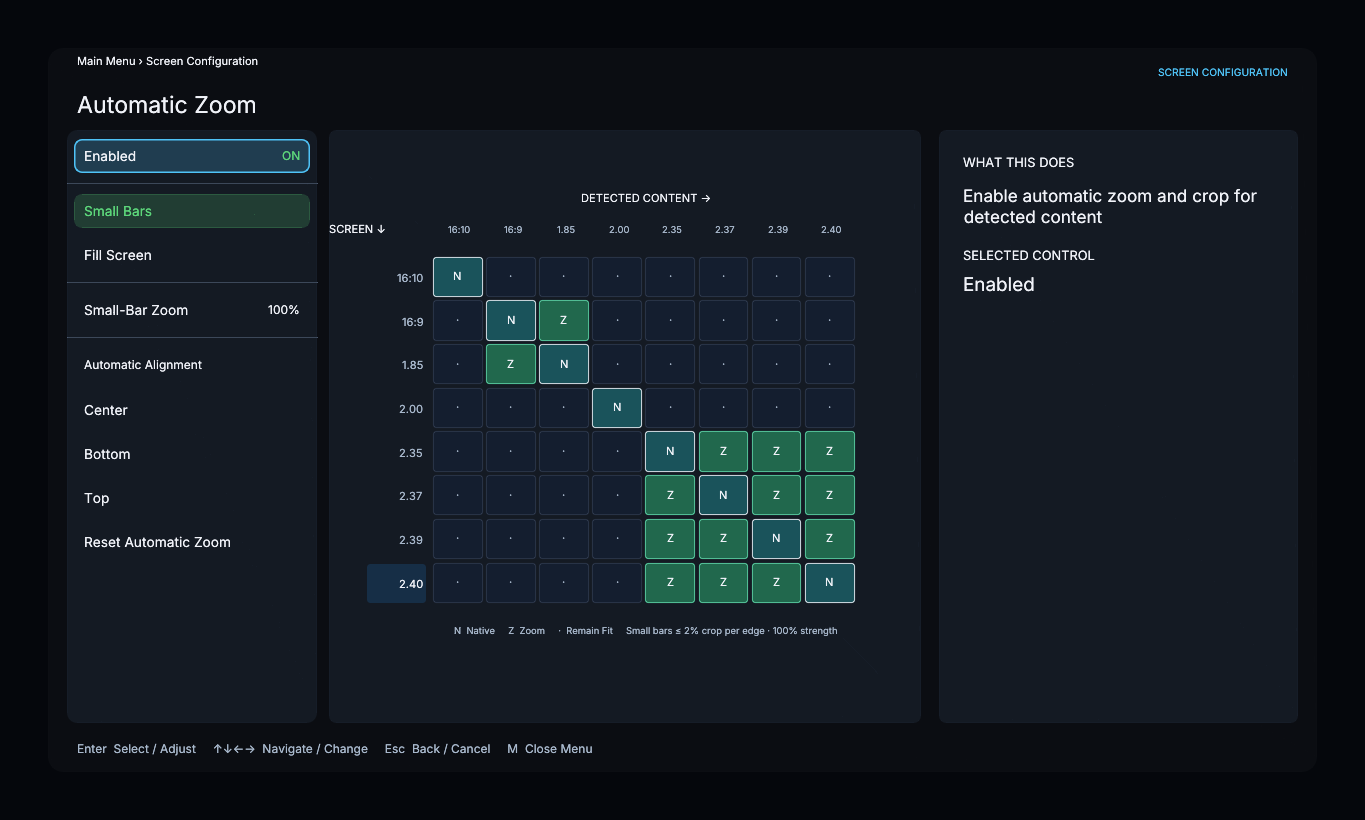
Choose the zoom policy
- Small Bars reduces narrow bars caused by near-matching aspect ratios. Larger differences remain fitted.
- Fill Screen applies the minimum uniform zoom needed to cover the screen. Picture outside the screen is cropped.
Small-Bar Zoom only affects Small Bars. A value of 0.00 leaves its eligible bars unchanged; 1.00 removes them completely. It does not reduce the amount of Fill Screen zoom.
Place the picture
Automatic Alignment offers Center, Bottom, and Top for fitted letterboxed content. Use Manual Zoom / Position for direct zoom and position adjustments.
Reset Automatic Zoom restores Small Bars, full Small-Bar Zoom, and centered alignment. It does not replace the separate Enabled switch.